Face to face
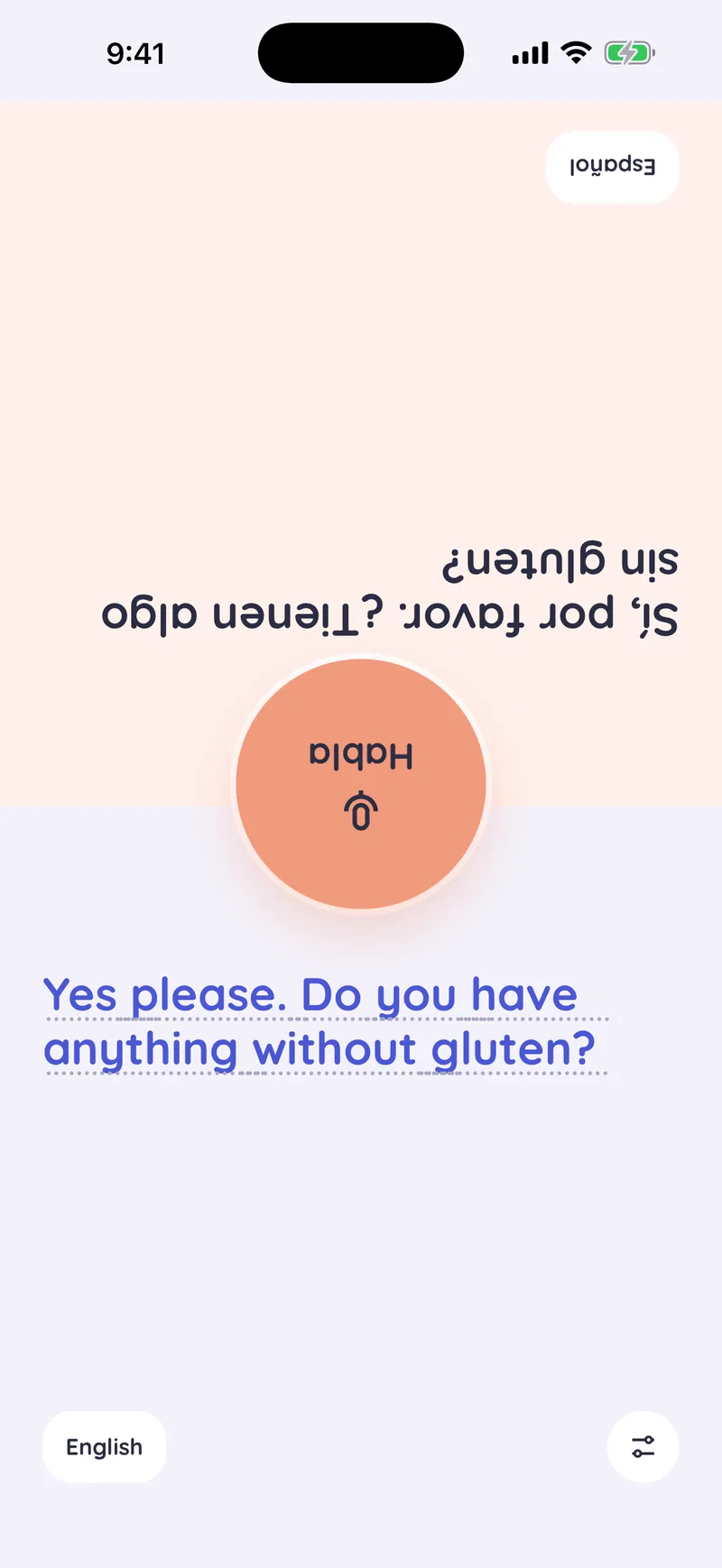
Put the phone on the table between you. The screen splits in two and the other person's half turns toward them, so each of you reads your own side the right way up.
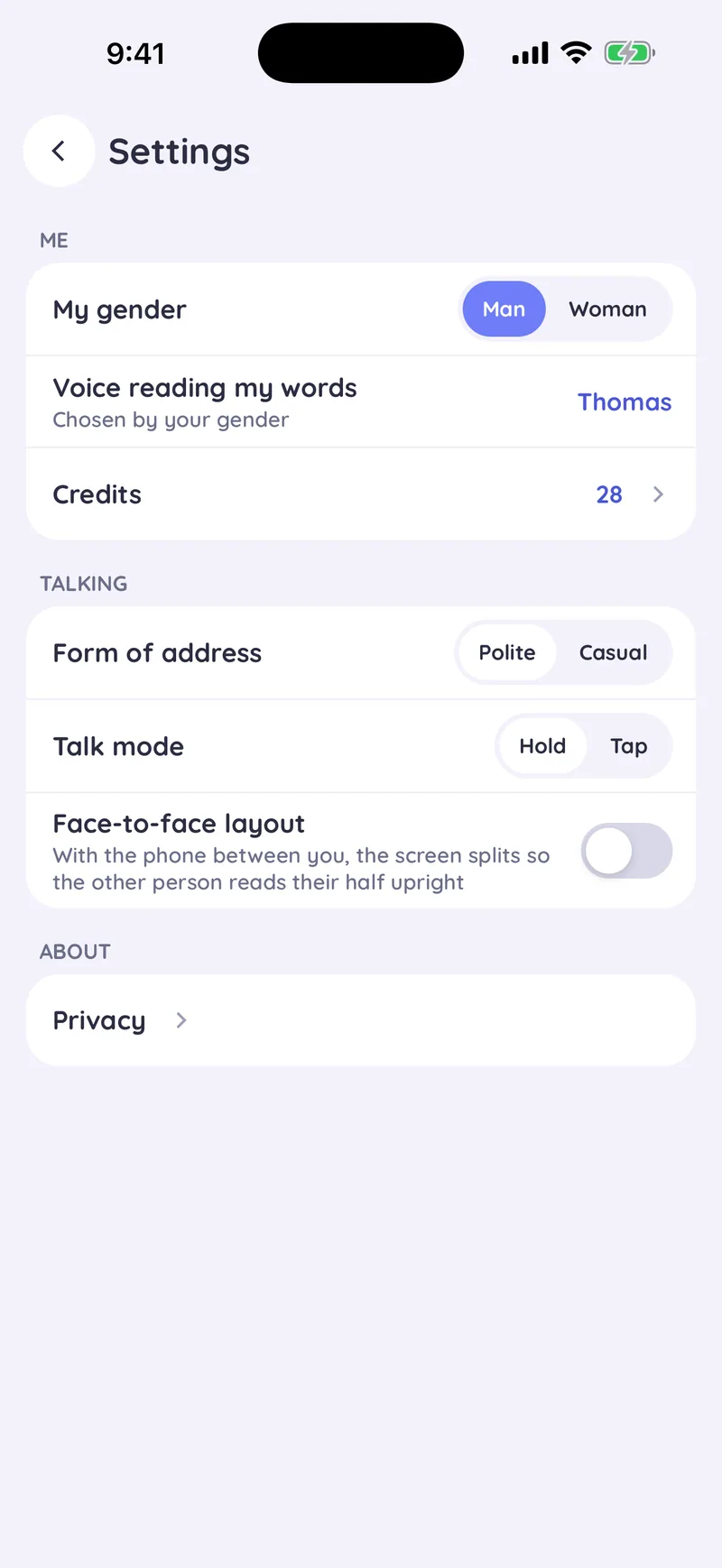
Switch it on in Settings
Face-to-face layout is an option in Settings. Leave it off when you hold the phone up to show the other person. Turn it on when the phone lies between you.
Each half shows the conversation in its reader's language: your words on your side, the translation on theirs.
Where it helps
- At a tableLay the phone between you at a café or a restaurant, and both of you can read along.
- At a counterAt a hotel desk, a pharmacy or a ticket office, the person across the counter reads their own half.
- Both sides uprightYour half stays the right way up for you, and theirs for them.
- Off until you need itThe usual layout is upright. Turn face to face on only when the phone lies between you.