Talk and translate
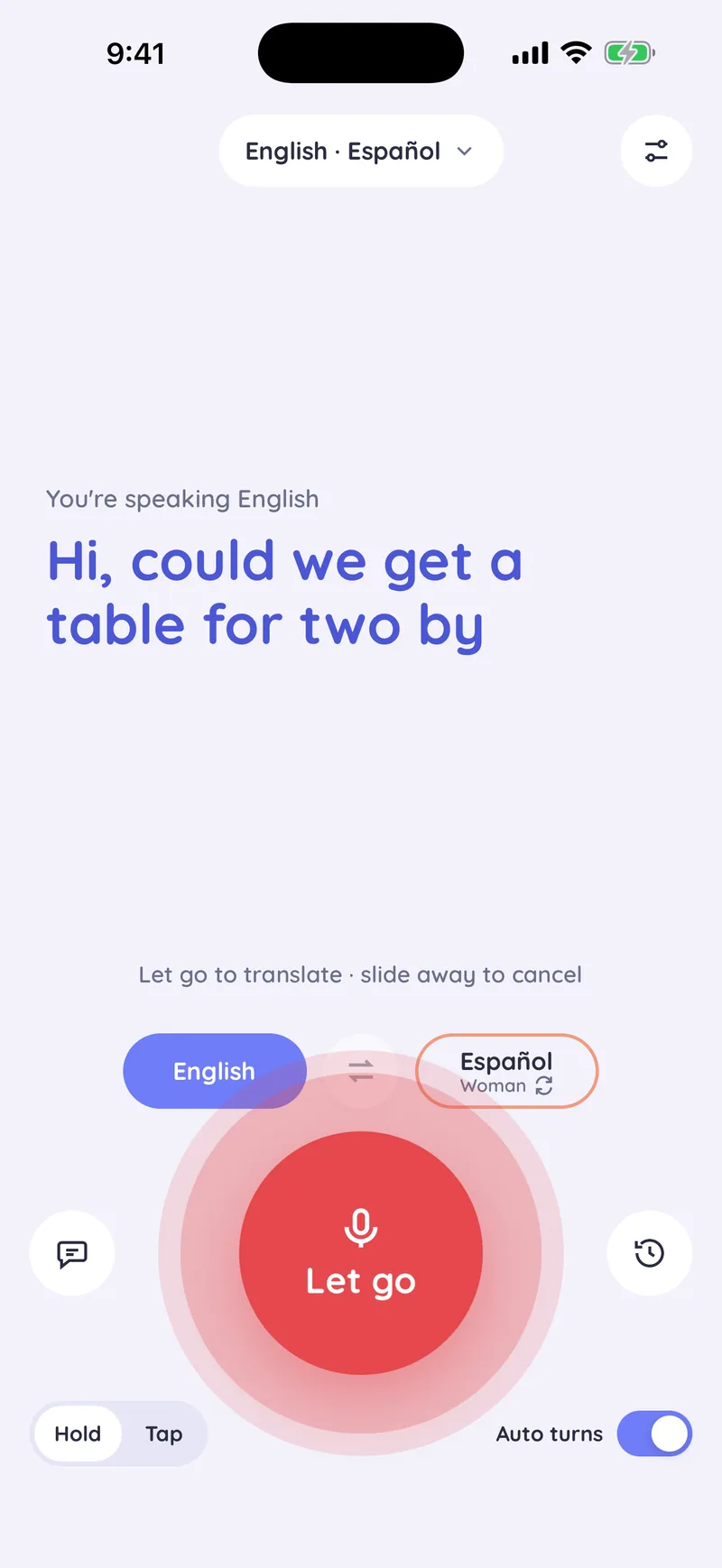
Hold the round Talk button and speak. Your words appear as you say them. Let go, and Saylator translates them and reads the translation aloud in the other person's language.
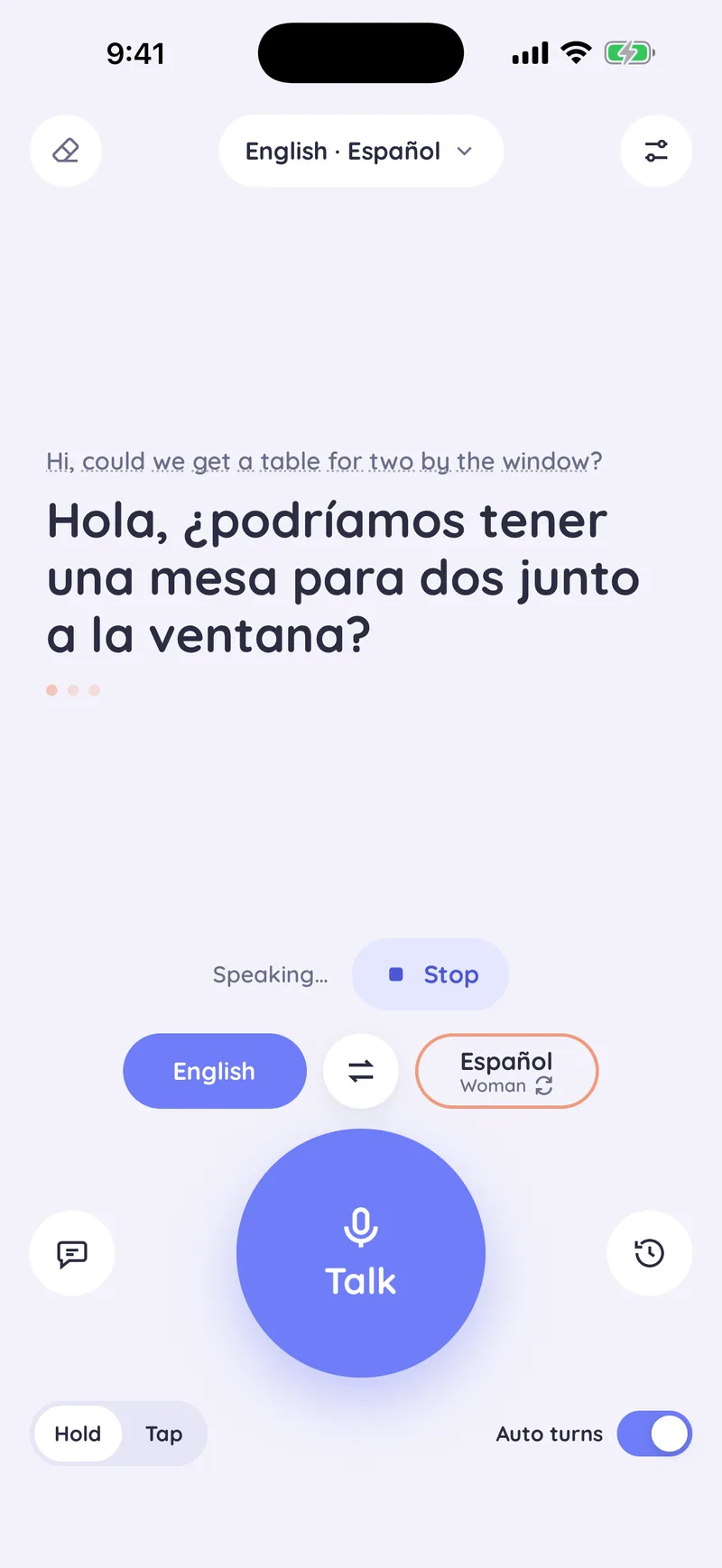
Read aloud in their language
The translation is shown in large type and read aloud in a natural voice, so the other person can listen and read along.
Stop cuts it off at once. The repeat button next to a translation plays it again, and replaying is free.
Turn by turn
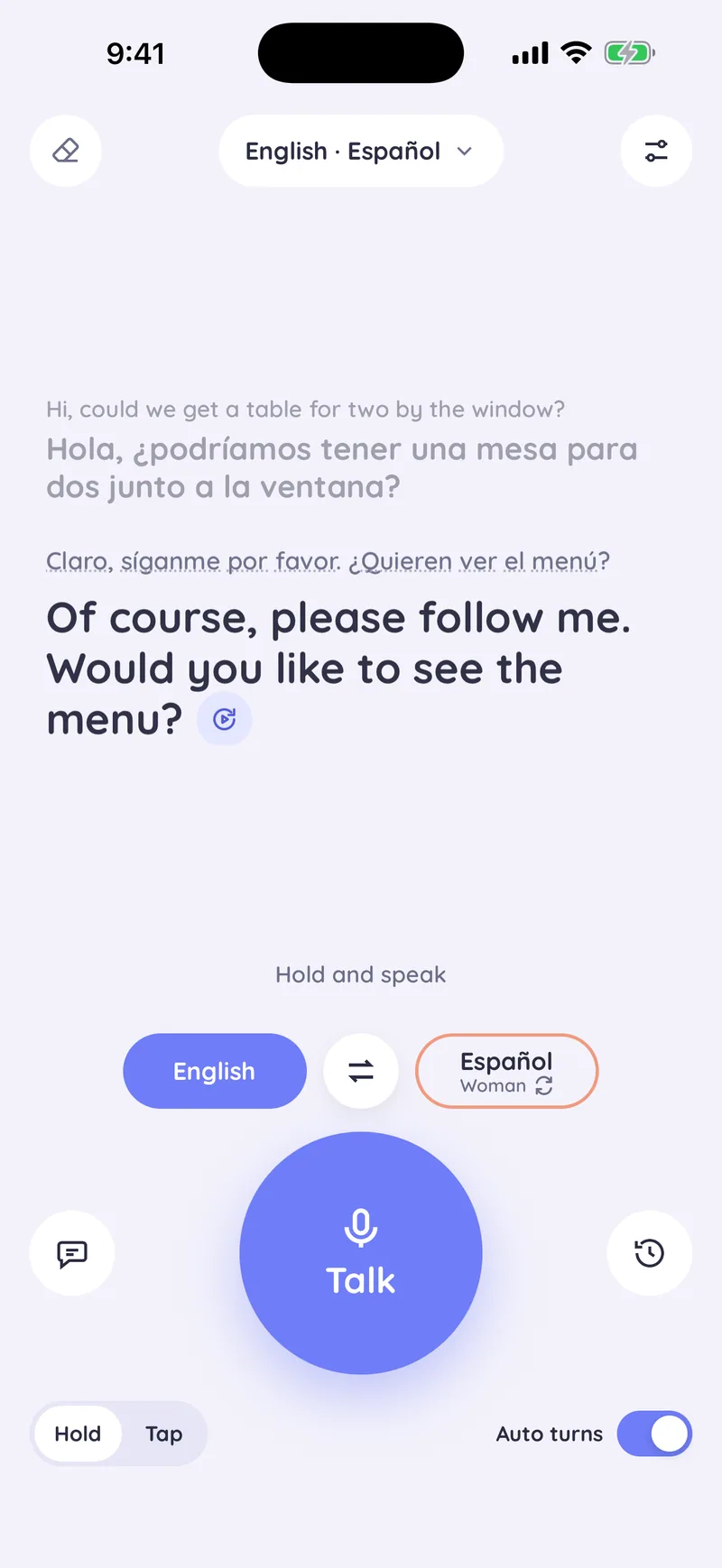
With auto turns on, the turn passes to the other person after each translation. They answer in their language, and Saylator translates it back to you.
The whole exchange stays on the screen, so both of you can follow it.
Talk your way
- Hold or tapHold to talk is the default: speak while you hold, let go to translate, slide away to cancel. In tap mode you tap once to start and again when you are done.
- Swap in one tapThe swap button turns the two languages around.
- Six languages, any pairEnglish, Turkish, German, French, Spanish and Portuguese. More languages are on the way.
- Polite or casualChoose whether the translation addresses the other person politely or casually, in the languages that make that difference.